How-to
Change a member’s role or remove them
A member’s role is changed in the project settings, and it applies straight away. In the same place, you remove someone from the project.
Change the role
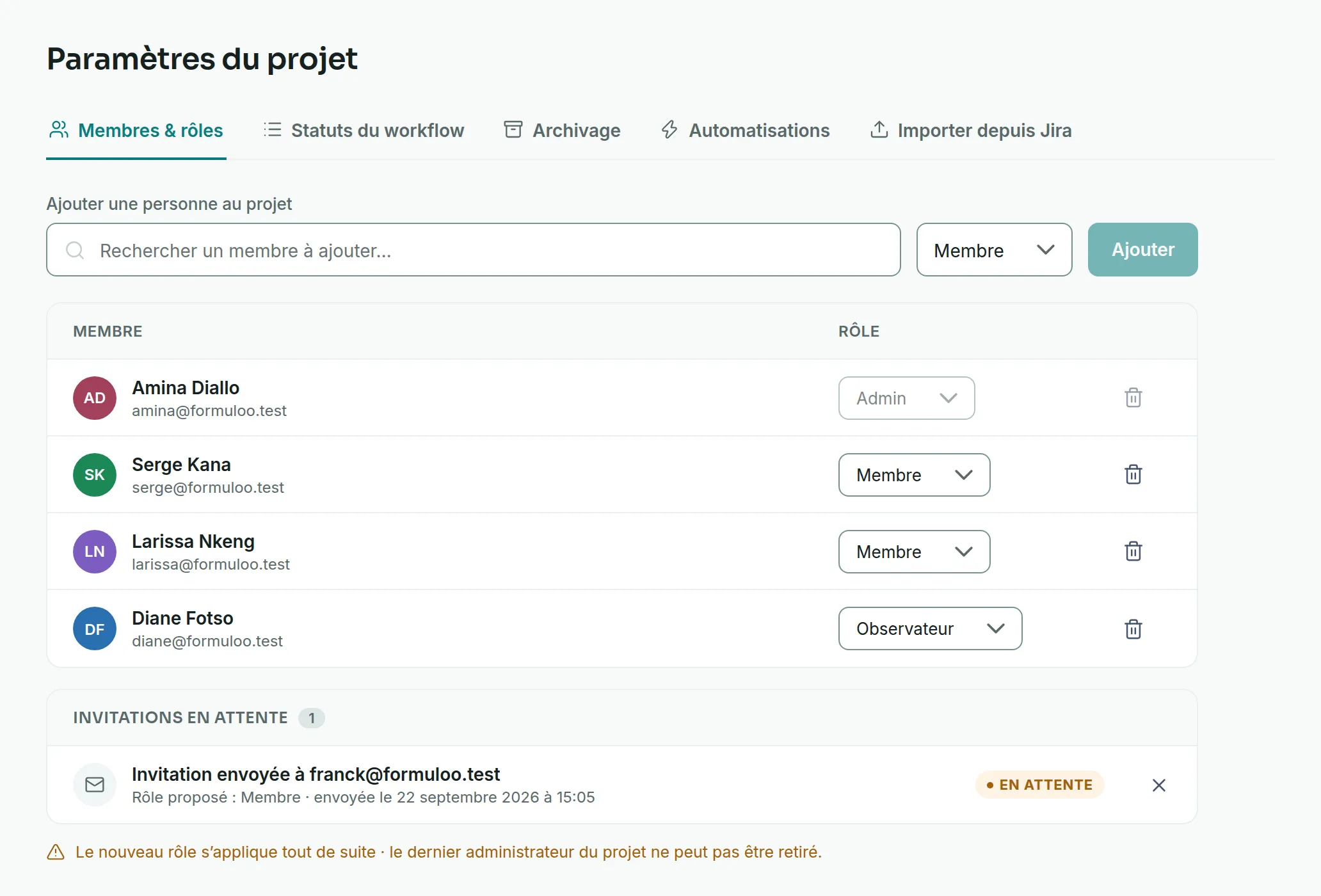
Link to the “Change the role” section- In your project, open Project settings in the sidebar.
- Stay on the Members & roles tab, which opens by default.
- In the Role column, open the list on the person’s row.
- Choose Admin, Member or Viewer.
- Read the confirmation message. It gives the new role, then the old one, for example “Before: Member”.
- To go back, click Undo in this message.
Remove a member from the project
Link to the “Remove a member from the project” section- On the person’s row, click the bin, at the end of the row.
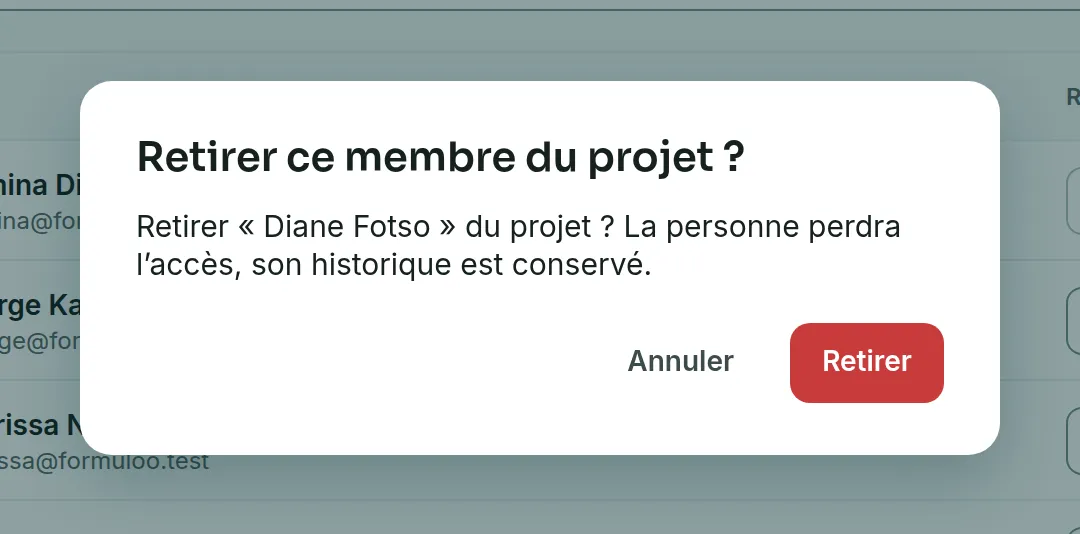
- Read the Remove this member from the project? window. It reminds you that the person will lose access, and that their history is kept.
- Click Remove. The row disappears from the table.
If you get stuck
Link to the “If you get stuck” section| What you see | What to do |
|---|---|
| The role list does not open, and the tooltip says “Last administrator: the project cannot be left without one.” | First give the Admin role to someone else, then come back to this row. |
| “A project must keep at least one administrator.” | This message also appears when the project is archived. In that case, unarchive it. Otherwise, make someone else Admin before changing this role. |
| “Only a project administrator can manage its members.” | Your role has changed in the meantime. Ask an Admin of the project. |
| “This project cannot be found, or you are not a member of it.” | Reload the page. If the project has gone from your projects, you are no longer a member. |
| “The action failed. Try again shortly.” | Wait a moment, then try again. |
Good to know
Link to the “Good to know” section- The new role applies straight away, without the person having to sign in again.
- You can change your own role as long as another Admin remains. Without the Admin role, you can no longer change the project settings, nor reverse this change yourself.
- A removed person loses access to the project, but their history is kept. They also stay in the project’s site, and can be added again directly.
- What each role allows is described in Project roles and permissions.
- A Super Admin can change roles in any project, even one they are not a member of.
Loading search…