Reference
Project roles and permissions
Each member of a project has a role there: Admin, Member or Viewer. The role decides what the person can do in that project, and in that one only.
The three roles
Link to the “The three roles” section| Role | What it does |
|---|---|
| Admin | Sets up the project: its members and their roles, its statuses, its automations, its archiving and the import from Jira. An Admin can also do everything a Member can. |
| Member | Works in the project: creates and edits tickets, comments, moves cards, plans and starts sprints. |
| Viewer | Views the tickets, the board, the backlog and the reports, without changing anything. |
The same person can be Admin of one project and Viewer of another.
What each role allows
Link to the “What each role allows” section| Action | Admin | Member | Viewer |
|---|---|---|---|
| View tickets, the board, the backlog and the reports | Yes | Yes | Yes |
| Search for tickets and save filters | Yes | Yes | Yes |
| Create a ticket | Yes | Yes | No |
| Edit a ticket, change its status, link it to another | Yes | Yes | No |
| Delete a ticket | Yes | No | No |
| Comment on a ticket | Yes | Yes | No |
| Edit or delete a comment | All | Their own | No |
| Attach a file to a ticket | Yes | Yes | No |
| Remove an attachment | All | Their own | No |
| Create, start and close a sprint | Yes | Yes | No |
| Add or remove members, change their role | Yes | No | No |
| Set up the workflow statuses and the automations | Yes | No | No |
| Archive or unarchive the project | Yes | No | No |
| Import a Jira CSV export | Yes | No | No |
When an action is not allowed, the button that starts it does not appear, or it stays greyed out and its tooltip gives the reason. If a Viewer still reaches the action, for example through a link, the product refuses and says so: “Your role, Viewer, lets you view this project, not change it.”
Where to see and change roles
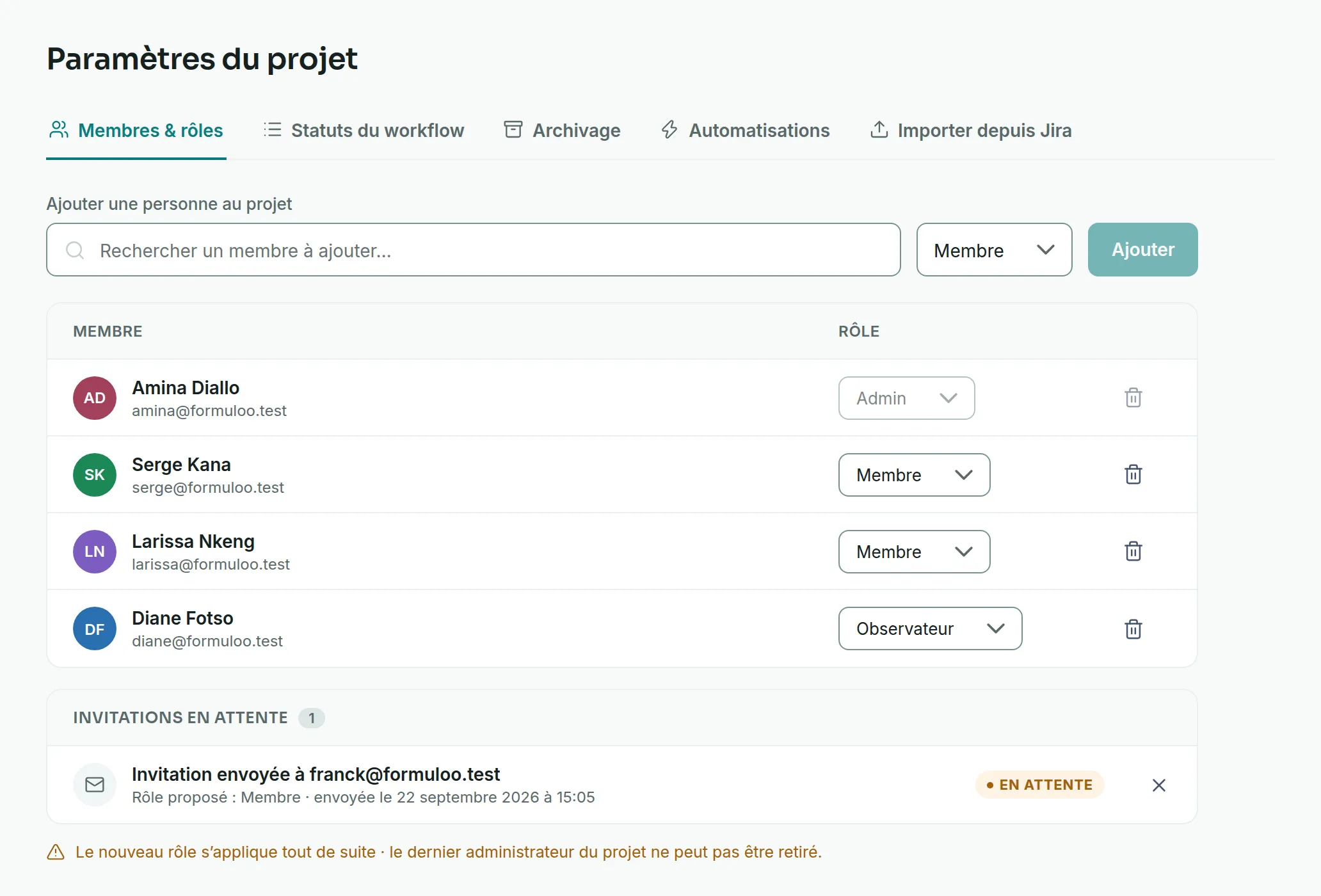
Link to the “Where to see and change roles” sectionRoles are set in Project settings, Members & roles tab. Only the project’s Admins and Super Admins see Project settings in the sidebar. For the details, see Change a member’s role or remove them.
The projects list also gives your role in each project, in the My role column.
Good to know
Link to the “Good to know” section- A new role applies straight away, without the person having to sign in again.
- A project always keeps at least one Admin. The last one can neither be removed nor change their own role.
- The person who creates a project becomes its Admin. Anyone who is signed in can create a project.
- An invitation proposes a role, Member by default. The person gets it by accepting the invitation.
- An archived project is read-only for everyone, Admins and Super Admins included, until an Admin or a Super Admin unarchives it.
And the Super Admin?
Link to the “And the Super Admin?” sectionSuper Admin is the organisation’s role, above the project roles. A Super Admin manages accounts and sees every project, even those they are not a member of. In any project, they can also manage the members, the workflow statuses, the automations and the archiving. See the Administration guide.
A site also has its own roles, Administrator and Member. They decide who manages the site’s members, not what you can do in a project. See the Sites and teams guide.