Concepts
Understanding the administration console
The console is the home page of the administration. It counts the organisation’s accounts, active, invited or deactivated, and its projects, active or archived.
The administration console is reserved for Super Admins. Super Admin is the organisation’s role, above project roles. It manages the accounts and sees every project and every site.
Getting there
Link to the “Getting there” sectionIn the top bar, click Settings (the cog), then Administration. The same choice is in your account menu, under your avatar.
The administration has its own sidebar. Console leads to this page, User accounts to the list of accounts, and Back to the workspace takes you back to your projects.
An account that is not a Super Admin does not see these entries. If it opens the administration’s address, it goes back to the list of projects with this message: “The administration console is not open to you”.
The two cards
Link to the “The two cards” sectionThe Administration console page shows two cards. Each one is a link to the screen where you act on what it counts.
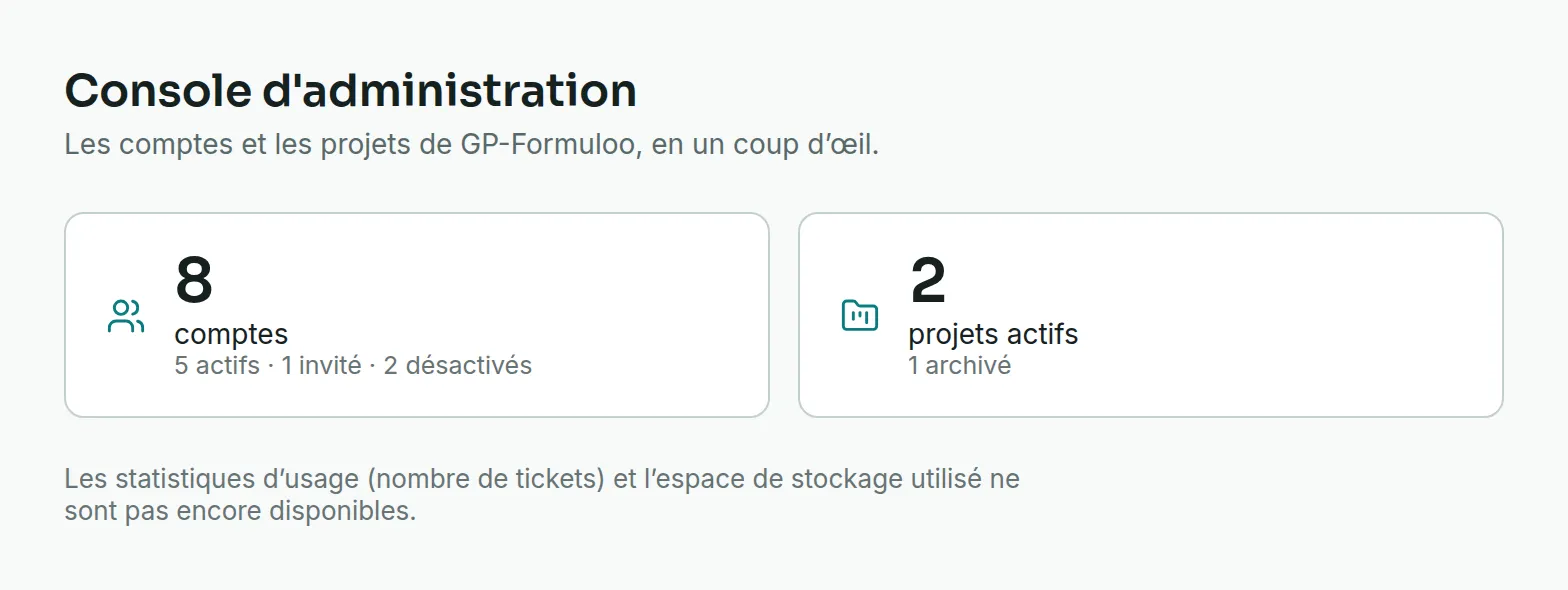
The accounts card gives the number of accounts, then how they split by status, for example “5 active · 1 invited · 2 deactivated”.
- An active account can sign in.
- An invited account exists, but the person has not chosen their password yet.
- A deactivated account can no longer sign in. Its history is kept.
Clicking the card opens User accounts. See Manage user accounts.
The projects card gives the number of active projects, then the number of archived ones. Clicking it opens the list of projects. As a Super Admin, you see every project there, including those you are not a member of.
A number followed by “+”, or a dash
Link to the “A number followed by “+”, or a dash” sectionThe numbers come from two reads, and each has a limit.
A “+” after a number means the read stopped before the end. The number is then a minimum, and a sentence under the cards says so, for example “Only the first 50 projects were read: these numbers are minimums.” The list of projects stops at 50, the list of accounts at 10,000.
A dash instead of a number means the read failed. The console does not count what it has not read, and an alert says so, for example “Accounts could not be read, so this number is unknown. Reload the page.” The other card keeps its numbers.
What the console does not show yet
Link to the “What the console does not show yet” sectionThe number of tickets and the storage used do not have a card yet. The console says so under the cards: “Usage statistics (number of tickets) and storage used are not available yet.”
To take action
Link to the “To take action” section- Invite someone, find an account or add it to a site: Manage user accounts.
- Cut someone’s access without losing their history: Deactivate an account.
- Create a site and give it an administrator: Create a site.