How-to
Change your photo
Your photo replaces your initials everywhere in GP-Formuloo. You choose and crop it from your profile, and it is saved straight away.
Choose the photo
Link to the “Choose the photo” section- In the bar, click your avatar, on the right.
- Click Profile.
- Next to your photo or your initials, click Change picture.
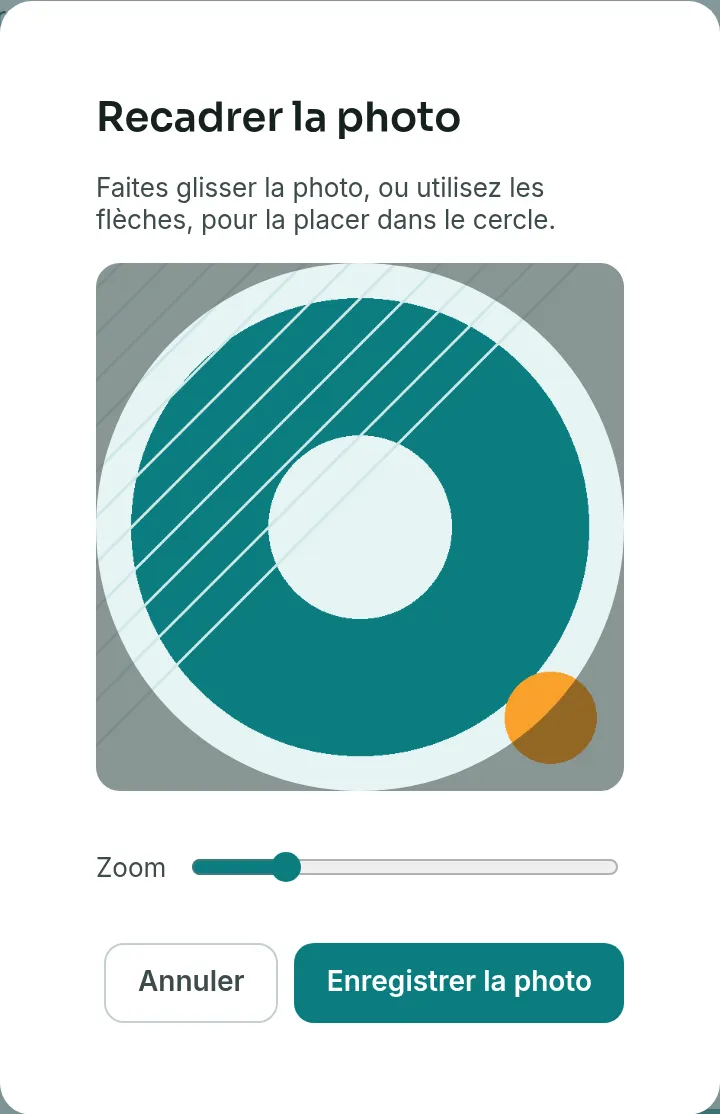
- Choose the image on your device. The Crop the photo window opens.
Crop and save it
Link to the “Crop and save it” section- Drag the photo to place your face in the circle. With the keyboard, give focus to the frame and use the arrow keys.
- Enlarge the photo, if needed, with the Zoom slider.
- Click Save the photo.
A ring on the photo shows the progress of the upload. When it is finished, the announcement “Changes saved.” appears, and the new photo shows in the bar.
Remove the photo
Link to the “Remove the photo” section- In your profile, next to your photo, click Remove picture.
The announcement “Picture removed.” appears. Your initials come back everywhere, and the image is erased from storage. The button only shows when you have a photo.
If you get stuck
Link to the “If you get stuck” section| What you see | What to do |
|---|---|
| Save the photo stays greyed out. | The browser cannot display this file. Click Cancel, then choose a PNG, JPEG, WebP or GIF image. |
| “The upload failed. Please try again shortly.” | The upload did not go through. Your previous photo stays in place. Try again a little later. |
| “The current state does not allow this action.” | The photo did not reach the storage. Start again from Change picture. |
| “Your profile could not be loaded.”, followed by the cause | Click Retry. |
| “Your session has expired. Please sign in again.” | Sign in again, then start over. |
Good to know
Link to the “Good to know” section- The photo is saved as soon as you click Save the photo. The Save changes button, at the bottom of the profile, is only for the display name.
- What is saved is the cropped square, in JPEG format, 512 pixels wide. An animated GIF therefore becomes a still image.
- Click your photo, in the profile, to see it full size.
- The same screen changes the name your colleagues see. Edit Display name, then click Save changes. An empty name is refused: “The display name is required.”
Loading search…