Reference
Keyboard shortcuts
The keys GP-Formuloo Cloud recognises, screen by screen, to open help, search for a ticket, move a card, create a ticket or format a description.
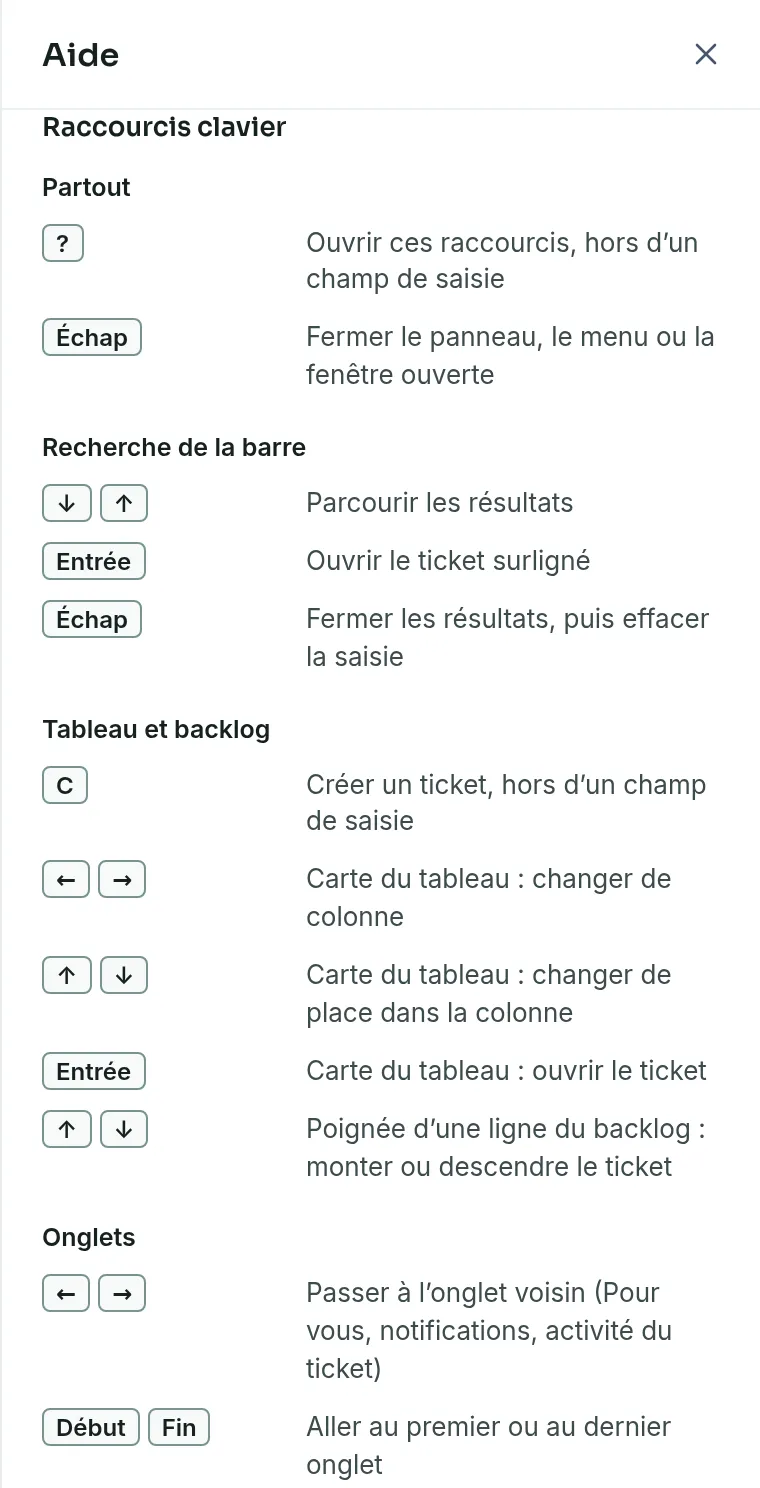
These tables give the shortcuts specific to the product, with the place where each one works. In the product, the ? key opens a similar list in the help panel. Lists of choices and windows also follow the usual keyboard conventions, such as the arrows, Enter and Esc.
Everywhere, in the bar and in tabs
Link to the “Everywhere, in the bar and in tabs” section| Where | Keys | What they do |
|---|---|---|
| Everywhere, outside a text field | ? | Open the help panel on its Keyboard shortcuts. |
| Everywhere | Esc | Close the open panel, menu or window. |
| Search tickets… field in the bar | ↓ ↑ | Go through the results. |
| Search tickets… field in the bar | Enter | Open the highlighted ticket. |
| Search tickets… field in the bar | Esc | Close the results. A second press clears what you typed. |
| Tabs of For you, of notifications and of a ticket’s activity | ← → | Go to the next tab. |
| Tabs of For you, of notifications and of a ticket’s activity | Home End | Go to the first or the last tab. |
Board, backlog, ticket and settings
Link to the “Board, backlog, ticket and settings” section| Where | Keys | What they do |
|---|---|---|
| Board or Backlog, outside a text field | C | Open the Create an issue window, if your role lets you create. |
| Board card that has the focus | ← → | Move the card to the next column, and so change its status. |
| Board card that has the focus | ↑ ↓ | Move the card up or down its column. |
| Board card that has the focus | Enter | Open the ticket in a panel. |
| Handle of a backlog row | ↑ ↓ | Move the ticket up or down the backlog. |
| Create a ticket row of the backlog | Enter | Create the ticket. |
| Create a ticket row of the backlog | Esc | Close the row without creating anything. |
| Ticket summary being edited | Enter | Save the summary. |
| Ticket description | Ctrl B | Make bold. On a Mac, ⌘ B. |
| Ticket description | Ctrl I | Make italic. On a Mac, ⌘ I. |
| Comment | @ | Open the list of members to mention. |
| List of members to mention | ↑ ↓ | Go through the list. |
| List of members to mention | Enter or Tab | Choose the highlighted member. |
| List of members to mention | Esc | Close the list. |
| A ticket’s Add a label field | Enter | Add the label. |
| A ticket’s Add a label field | Esc | Close the field without adding anything. |
| Workflow statuses tab, handle of a status | ↑ ↓ | Move the status. |
| Workflow statuses tab, renaming a status | Enter | Confirm the new name. |
| Workflow statuses tab, renaming a status | Esc | Cancel the renaming. |
| Crop the photo window of the profile | ← → ↑ ↓ | Move the photo within the circle. |
Good to know
Link to the “Good to know” section- ? and C do not respond while you type in a field, nor when a window is already open. They do not respond either with Ctrl, Alt or ⌘.
- C does nothing for a Viewer, nor in an archived project.
- With the keyboard, a card’s ⋮ menu and the handle of a backlog row also offer the entries Move up, Move down, Move to top and Move to bottom.
Loading search…