How-to
Manage a site’s members
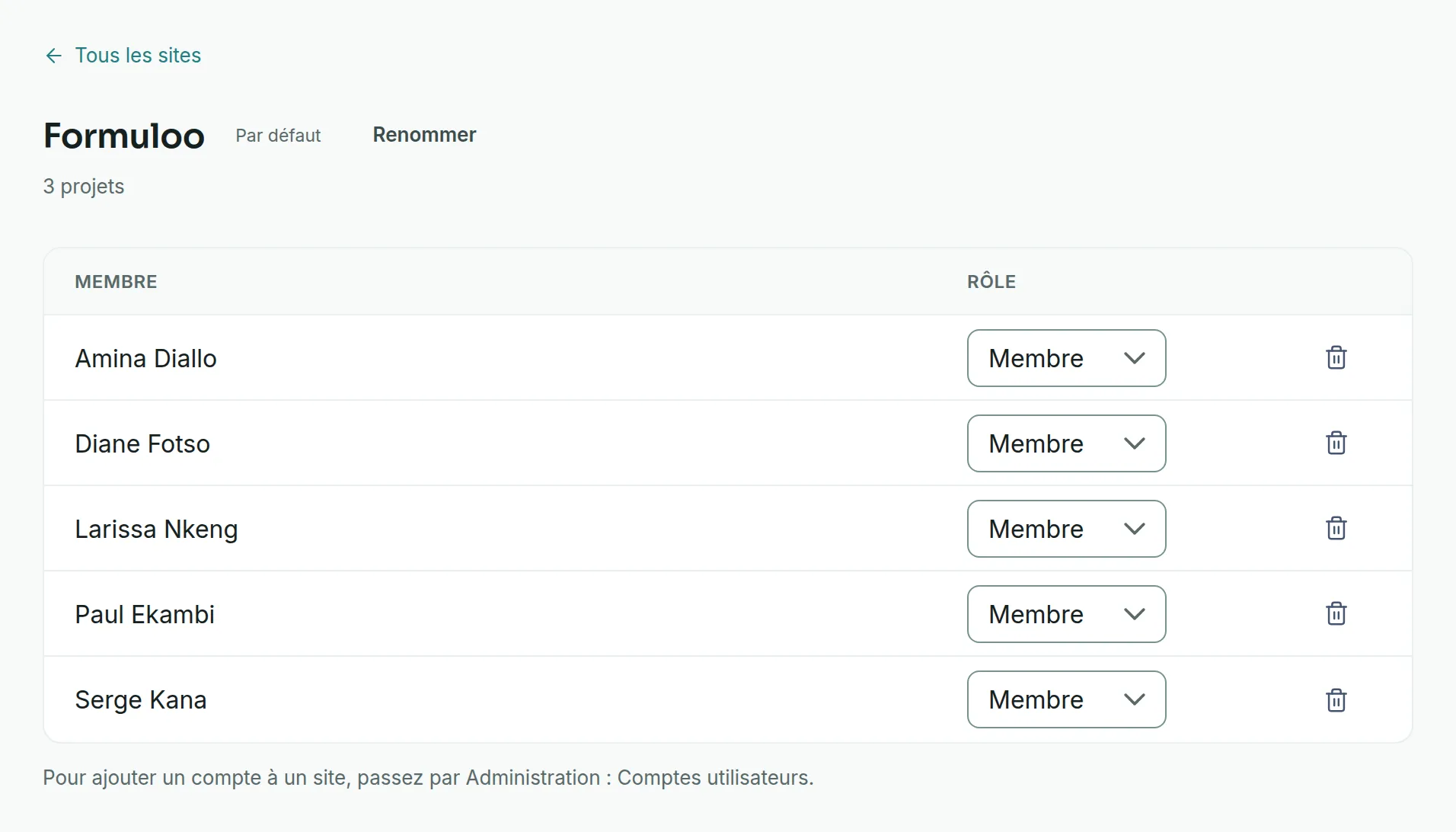
A site’s page lists its members and their role. The site administrator changes roles and removes members there; people join a site through one of its projects.
Bring someone into the site
Link to the “Bring someone into the site” sectionThere is no add field on a site’s page. People join it in two ways.
- Through a project of the site. Becoming a member of a project brings you into its site. Ask an Admin of one of the site’s projects to add or invite the person, in Project settings, Members & roles tab. A pending invitation does not bring anyone in yet: the person joins the site by accepting it.
- Through the administration, if you are a Super Admin. In User accounts, the ⋮ menu of an account offers Add to a site, with the role Member or Administrator. See Manage user accounts.
Change a member’s role
Link to the “Change a member’s role” section- In the sidebar, open Sites.
- Click the site’s name.
- In the Role column, open the person’s list.
- Choose Administrator or Member. The new role applies straight away.
Remove a member from the site
Link to the “Remove a member from the site” section- On the site’s page, find the person’s row.
- At the end of the row, click the bin icon.
- In the Remove from the site window, check the name, then click Remove.
Before removing someone from the site, remove them from all the projects of this site. Otherwise the site refuses.
If you get stuck
Link to the “If you get stuck” section| What you see | What to do |
|---|---|
| “Refused: a site keeps at least one administrator, and a member of one of its projects stays in it.” | You were trying to remove or demote the last administrator: first make someone else an Administrator. Or the person is still a member of one of the site’s projects: remove them from that project first. |
| “Only a site administrator can do this.” | Your role in the site has changed in the meantime. Reload the page. |
| “This site cannot be found, or you are not a member of it.” | You are not a member of this site. Ask to join it through one of its projects. |
| The role list and the bin icon do not appear. | You are a Member of the site, not an Administrator. |
Good to know
Link to the “Good to know” section- A site can have no administrator, for example right after it is created. Only a Super Admin can then manage its members.
- Leaving the site means leaving all the teams of this site.
- Leaving a project does not take you out of its site. The person is still offered for that project, and joins it directly if someone adds them again.
- A person can be a member of several sites.
- On a site’s page, administrators are listed first.
Loading search…