How-to
Archive a project
An archived project leaves the lists and becomes read-only, without losing anything. You unarchive it at any time, in one click.
Archive from the projects list
Link to the “Archive from the projects list” section- In the top bar, open Projects.
- On the project row, click the ⋮ button, at the end of the row.
- Choose Archive project. No confirmation is asked.
- A message confirms the archiving and says that the project moves to the Archived section. Its Undo button unarchives the project straight away.

Archive from the project settings
Link to the “Archive from the project settings” section- In your project, open Project settings in the sidebar.
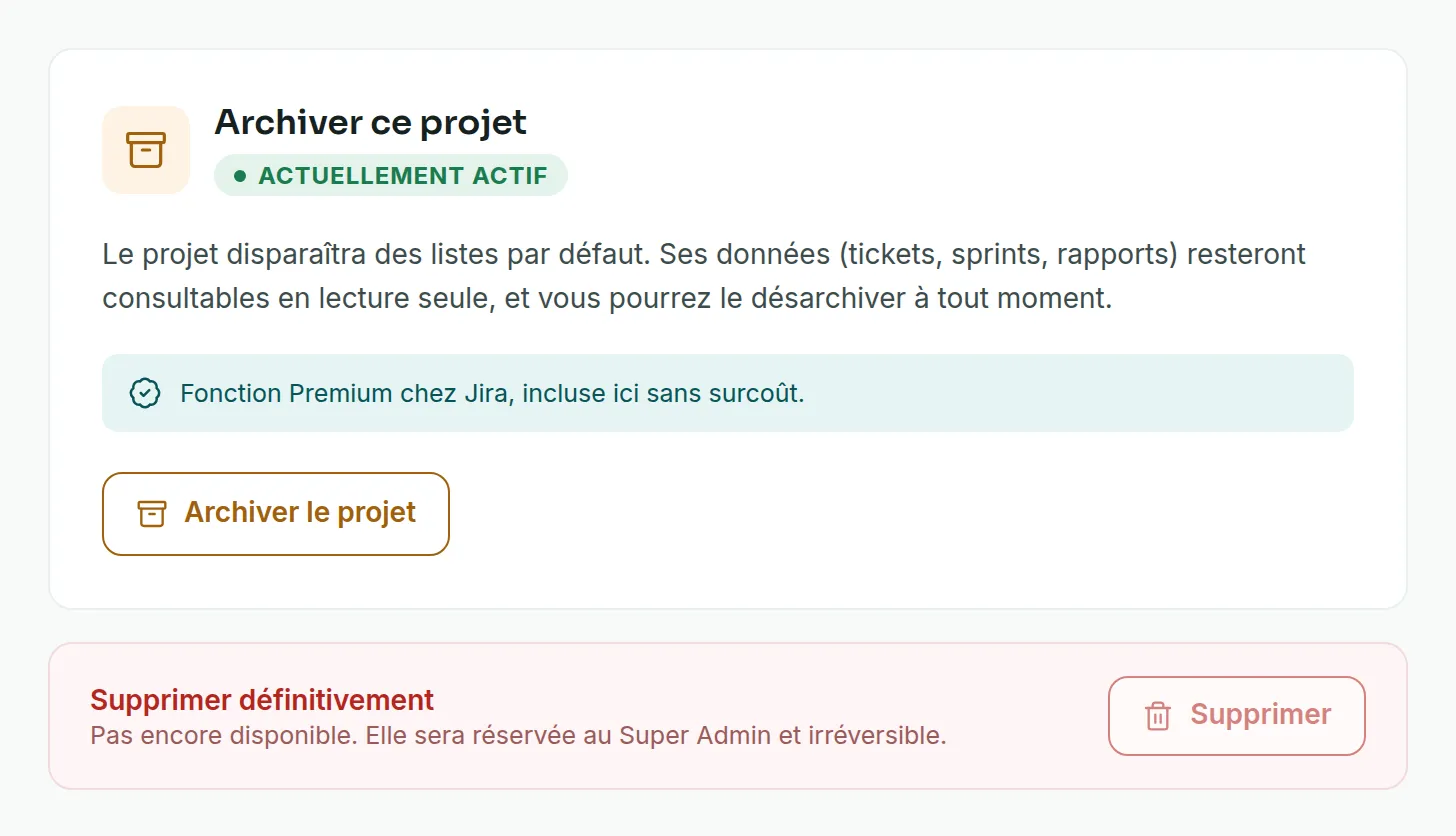
- Open the Archiving tab. The card shows the project’s state, Currently active.
- Click Archive project. The card changes to Currently archived. The confirmation message offers Undo.
Unarchive a project
Link to the “Unarchive a project” section- In Projects, tick Show archived projects. The number in brackets counts the archived projects.
- In the Archived section, on the project row, click Unarchive.
- The project goes back to the list of active projects, and everything can be changed again.

From an archived project, the Archiving tab also offers Restore project, which does the same thing.
If you get stuck
Link to the “If you get stuck” section| What you see | What to do |
|---|---|
| The ⋮ button does not appear on the project row. | You are not an Admin of this project. Ask one of its Admins to archive the project. |
| “Only a project administrator may archive or unarchive it.” | Your role has changed in the meantime. Ask an Admin of the project. |
| “This project no longer exists, or you are no longer a member of it.” | Reload the projects list. If the project is no longer there, ask one of its Admins to add you back. |
| “The service did not answer. Try again in a moment.” | Wait a moment, then try again. |
| “This project is archived: it is read-only. Its content can still be viewed. Unarchive the project to write again.” | This banner appears in an archived project. Unarchive the project to change it. |
Good to know
Link to the “Good to know” section- An archived project is read-only for everyone, Admins and Super Admins included. Nobody creates or changes a ticket, a sprint, a status, an automation or a member there.
- Its pending invitations can no longer be accepted or cancelled.
- It disappears from the projects list and from My projects, on the For you page. Its tickets can still be found with search.
- In the Archived section, the project name is not a link. To view the project, open one of its tickets from search, or unarchive it.
- Unarchiving restores everything as it was before archiving.
- An archived project keeps its key.
- The Archiving tab shows a Delete permanently block. This feature is not available yet. No project can be deleted for now.
Loading search…