How-to
Search for a ticket from the bar
The search field in the top bar finds a ticket in all your projects, by a word of its text or by its key. It opens the ticket in one click, or hands over to advanced search.
Search for a ticket
Link to the “Search for a ticket” section- In the top bar, click in the Search tickets… field.
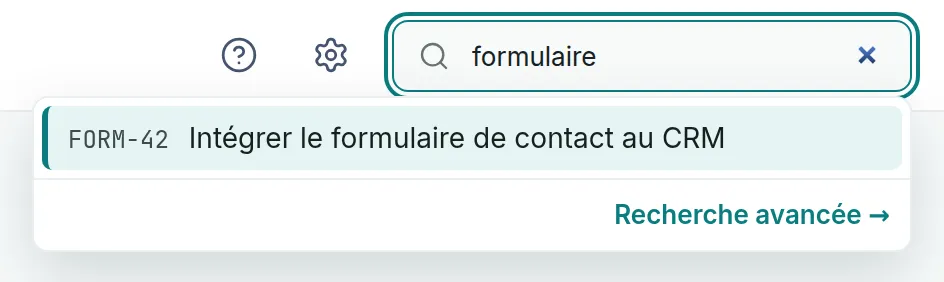
- Type one or more words from the ticket. The results appear under the field as you type, the most relevant first. Each line shows the ticket’s key and summary.
- If the ticket is not in the list, click Show more results at the bottom of the list. Results arrive eight at a time, and this button only appears when there are more.
- Click a line. The ticket opens as a full page.
Open a ticket by its key
Link to the “Open a ticket by its key” section- In the Search tickets… field, type the ticket’s full key, for example FORM-42.
- Wait for the ticket to appear at the top of the list.
- Press Enter. The highlighted ticket opens.
On the keyboard, ↓ and ↑ move the highlight from one result to the next. Esc closes the list, then clears what you typed if you press it a second time.
Go to advanced search
Link to the “Go to advanced search” section- Under the results, click Advanced search →.
- The advanced search screen opens with your text in the Text criterion. Add a project, a type or a date to it. See Use advanced search.
The link stays visible even when no ticket matches.
If you get stuck
Link to the “If you get stuck” section| What you see | What to do |
|---|---|
| “No ticket matches “…”” | Try another word, or type the ticket key. Type the whole word, because the start of a word is not enough. |
| “Very common words (the, my, of…) are ignored. Try a more specific word or the ticket key, e.g. PJ-1.” | The search uses a French dictionary and ignores very common French words such as “le” or “de”. Keep the words that set the ticket apart. |
| “The search did not go through. Try again in a moment.” | The service did not answer. Change what you typed slightly, or wait a moment and try again. |
| Enter opens nothing. | The list is not displayed yet. Wait for the results to appear, then press it again. |
| A ticket you know about never appears. | You are not a member of its project. Ask an Admin of that project to add you. |
Good to know
Link to the “Good to know” section- Every word you type must be in the ticket. Capitals and accents do not matter, and the French dictionary matches plurals with their singular, so “formulaires” finds “Formulaire”.
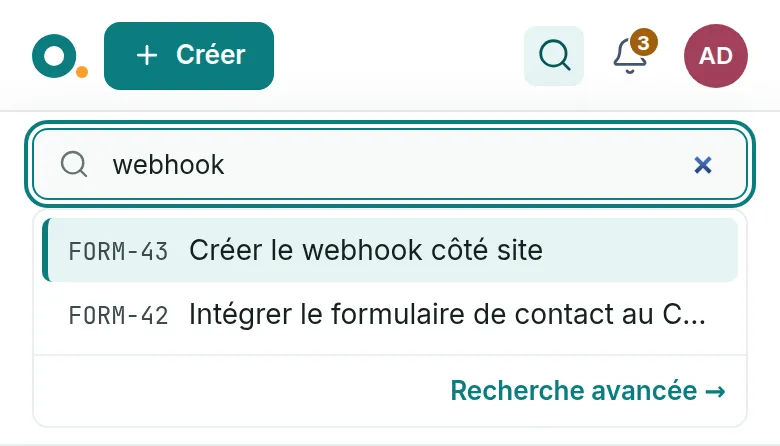
- On a narrow screen, the field gives way to a magnifying glass. Tap it to open the field under the bar.
- The ? key, outside a text field, opens the list of keyboard shortcuts.
Loading search…