How-to
Sign in
Signing in goes through a secure page shared by all of GP-Formuloo. You enter your email address and password there, or ask for a link if you have forgotten your password.
- Open GP-Formuloo in your browser, or a link to one of its pages. The Connexion page appears.
- In Adresse e-mail (Email address), enter your address. Your username works too.
- In Mot de passe (Password), enter your password. The eye-shaped button at the end of the field shows it in plain text.
- Click Se connecter (Sign in).
You arrive on the page you asked for. Without a specific page, you arrive on For you.
Get back in without your password
Link to the “Get back in without your password” section- On the Connexion page, under the Mot de passe field, click Mot de passe oublié ? (Forgot password?)
- In Adresse e-mail, enter your account’s address.
- Click Envoyer le lien (Send the link).
- In your mailbox, open the email “GP-Formuloo : réinitialisez votre mot de passe” (GP-Formuloo: reset your password).
- Click Choisir un nouveau mot de passe (Choose a new password). The link is valid for 15 minutes and can only be used once.
- On the Choisissez votre mot de passe (Choose your password) page, enter the new password in Mot de passe, then in Confirmez le mot de passe (Confirm the password).
- Click Enregistrer et continuer (Save and continue). Then sign in with this new password.
The rules for the new password are in Choose a password.
Sign out
Link to the “Sign out” section- In the bar, click your avatar, on the right.
- Click Sign out.
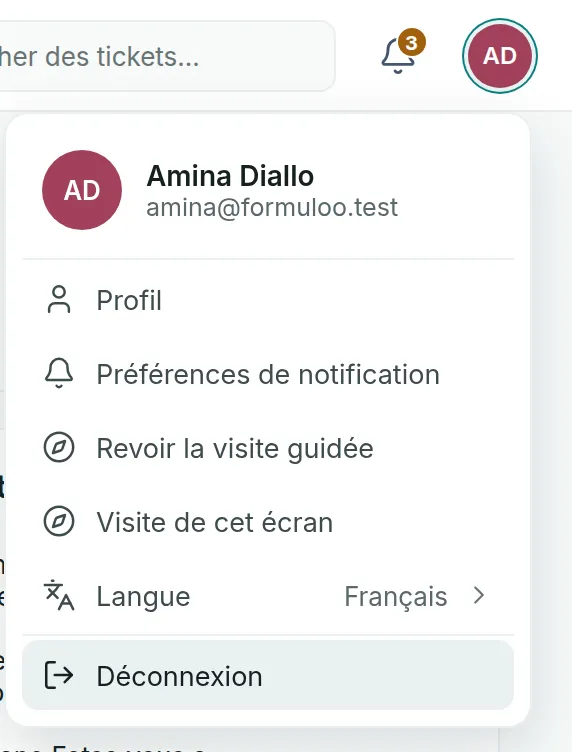
The session in this browser closes, and the Connexion page appears.
If you get stuck
Link to the “If you get stuck” section| What you see | What to do |
|---|---|
| “Adresse e-mail ou mot de passe incorrect.” (Incorrect email address or password.) | Check the address and the password, then try again. After five failures, signing in is suspended for at least a minute, and this message appears even with the right password. Wait, or use Mot de passe oublié ? |
| “Veuillez entrer votre adresse e-mail.” (Please enter your email address.) | The Adresse e-mail field is empty. Fill it in. |
| The Confirmez votre adresse (Confirm your address) page appears instead of GP-Formuloo. | Your address is not confirmed yet. Open the email “GP-Formuloo : confirmez votre adresse” (GP-Formuloo: confirm your address) and click Confirmer mon adresse (Confirm my address). |
| No reset email arrives. | Look in your junk folder, and check the address you typed. If no account has this address, no email is sent, and the page does not say so. |
| “Ce lien a expiré.” (This link has expired.) | The link is more than 15 minutes old, or it has already been used. Start again from Mot de passe oublié ? |
| “Nous n’avons pas pu continuer” (We could not continue) | The email link has expired, has already been used, or was cut by your email software. Click Revenir à GP-Formuloo (Back to GP-Formuloo), then ask for a new link. |
| “Cette page est restée ouverte trop longtemps, ou vous y êtes revenu avec le bouton Précédent.” (This page stayed open too long, or you came back to it with the Back button.) | Click Reprendre où j’en étais (Pick up where I left off), or Recommencer depuis le début (Start again from the beginning). |
| A Confirmez votre identité (Confirm your identity) page asks for your password. | For security, enter your password again, then click Se connecter. To use another account, click Changer de compte (Switch account). |
Good to know
Link to the “Good to know” section- A session lasts 10 hours at most. It closes sooner when GP-Formuloo stays closed for 30 minutes. You then need to sign in again.
- The suspension after several failures gets longer with each new series of errors, up to 15 minutes. It lifts by itself.
- Mot de passe oublié ? changes nothing until you have followed the link. Your current password stays valid until then.
- Choosing a new password closes all your open sessions, on all your devices.
- The sign-in and password pages and the account emails are in French, whatever language you choose in GP-Formuloo. This article quotes them in French, with a translation in brackets.
Loading search…